
Odoo Inventory Management: Features & Benefits
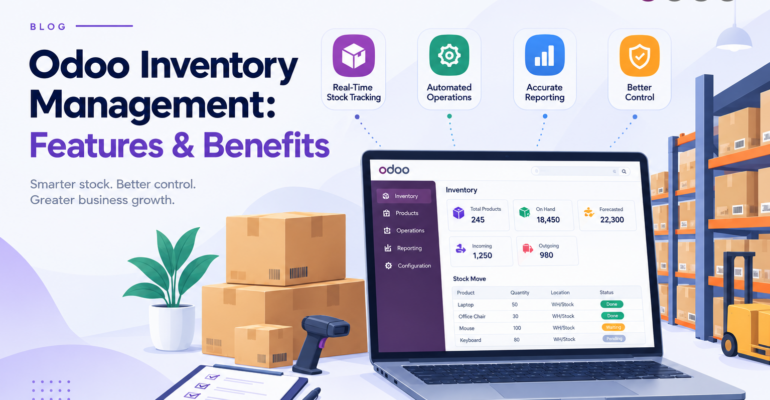
Odoo Inventory Management: Features & Benefits
 Bhargav A
Odoo Inventory Management helps businesses track stock, streamline warehouse operations, and automate replenishment from a single integrated system. Without it, companies relying on spreadsheets or disconnected tools often face inventory discrepancies, delayed deliveries, excess stock, and unexpected shortages.
Whether you run a manufacturing company, wholesale business, retail operation, or distribution company, Odoo can improve inventory visibility and bring more organized warehouse workflows. It manages stock movements, replenishment, and product traceability, all connected with purchasing, sales, and manufacturing.
In this guide, we explore the key features, benefits, integrations, and implementation considerations of Odoo Inventory Management.
What Is Odoo Inventory Management?
Odoo Inventory is an inventory and warehouse management application designed to help businesses control stock and manage the movement of products across their operations.
It allows teams to manage incoming shipments, outgoing deliveries, internal transfers, warehouse locations, stock adjustments, and replenishment activities from a centralized system.
Key capabilities include:
- Real-time inventory tracking and stock movement visibility
- Warehouse and storage location management
- Barcode scanning for inventory operations
- Automated replenishment rules
- Lot and serial number tracking
- Inventory forecasting and reporting
- Integration with Odoo Sales, Purchase, Manufacturing, and Accounting
These features help businesses establish a more controlled and transparent inventory management process.
Why Is Inventory Management Important for Businesses?
Inventory problems can affect purchasing decisions, customer satisfaction, warehouse productivity, and profitability.
Common inventory management challenges include:
1. Inaccurate Stock Records
When stock movements are recorded manually, the actual quantity of a product may differ from the quantity shown in business records.
An integrated inventory system helps teams record receipts, deliveries, and internal transfers more consistently.
2. Overstocking and Stockouts
Excess inventory ties up working capital, while insufficient stock can delay orders and interrupt production.
Odoo supports replenishment rules and forecasted inventory reports that help businesses identify when stock may need to be replenished.
3. Slow Warehouse Operations
Employees may spend unnecessary time searching for products, checking quantities, or preparing deliveries.
Warehouse locations, barcode scanning, and organized picking workflows can help streamline these activities.
4. Limited Inventory Visibility
Businesses operating multiple warehouses or storage locations need accurate information about where products are stored and how much stock is available.
Odoo helps centralize inventory information and supports multi-warehouse operations.
5. Difficult Product Traceability
Some businesses need to track products by lot number or serial number for quality control, warranty management, expiry monitoring, or after-sales support.
Odoo provides product tracking capabilities that support these requirements.
Key Features of Odoo Inventory Management
1. Real-Time Stock Tracking
Odoo helps businesses monitor product quantities and track stock movements as inventory operations are processed.
Teams can review on-hand quantities, incoming stock, outgoing deliveries, and forecasted availability to make better operational decisions.
This is particularly useful for businesses that manage a large product catalog or receive frequent customer orders.
2. Warehouse and Location Management
Odoo supports multiple warehouses and internal storage locations, allowing businesses to organize stock according to their operational structure.
For example, a company may maintain separate warehouses for raw materials, finished goods, and regional distribution.
Within a warehouse, products can be assigned to specific locations such as aisles, shelves, and racks. Configurable routes and storage rules help organize product movements according to business requirements.
3. Barcode Scanning
Barcode functionality can simplify routine inventory operations by reducing the need for manual product entry.
Warehouse teams can use barcode scanning for activities such as:
- Receiving incoming products
- Identifying products and storage locations
- Processing picking and packing operations
- Recording inventory adjustments
- Verifying products during warehouse transfers
Businesses should select compatible barcode hardware and configure product and location barcodes according to their requirements.
4. Automated Replenishment
Maintaining the right stock level is important for controlling inventory costs and meeting customer demand.
Odoo supports replenishment strategies such as minimum and maximum stock rules and make-to-order workflows. These rules help identify when products need to be purchased, transferred, or manufactured.
For example, when forecasted stock falls below a configured threshold, Odoo can generate replenishment suggestions or initiate the appropriate procurement workflow.
This helps purchasing teams plan ahead instead of relying entirely on manual stock checks.
5. Lot and Serial Number Tracking
Some products require traceability throughout their movement from suppliers to customers.
Odoo supports lot and serial number tracking, helping businesses identify specific product batches or individual units. This is useful for electronics, machinery, manufacturing components, equipment, and products with expiry dates.
With the appropriate configuration, businesses can review product movement history when investigating quality issues or handling after-sales requests. For manufacturers who want to go further, Odoo Quality Control can help reduce product defects during production.
6. Inventory Forecasting and Reporting
Inventory reports help businesses understand current stock positions and plan future requirements.
Odoo provides visibility into on-hand, incoming, and outgoing quantities, along with forecasting and replenishment information. Businesses can use these insights to:
- Identify products approaching stock shortages
- Review inventory movement history
- Monitor stock levels across warehouses
- Support purchasing and production planning
- Investigate inventory discrepancies
- Improve replenishment decisions
Reliable reports depend on accurate product data and consistent recording of inventory operations.
How Odoo Inventory Integrates with Other Odoo Modules
One of the major advantages of Odoo is that inventory management can work alongside other business applications within the same ERP environment.
Odoo Inventory + Sales
When a sales order is confirmed, the configured workflow can generate a delivery order and help the warehouse team prepare the required products.
This connects customer orders with stock availability and delivery operations. Businesses that also use Odoo CRM can follow the process from lead to opportunity, sales order, and delivery.
Odoo Inventory + Purchase
Odoo Purchase helps businesses manage supplier quotations, purchase orders, and incoming products.
When combined with Inventory, purchasing and warehouse teams can coordinate expected receipts and update stock as goods arrive.
Odoo Inventory + Manufacturing
Manufacturing companies can connect inventory operations with production orders. Raw materials are consumed during production, while finished products are added to stock according to the configured manufacturing workflow.
This helps teams coordinate material availability and production requirements. To understand this connection in more detail, read our guide on how Odoo connects manufacturing, purchasing, and inventory.
Odoo Inventory + Accounting
Inventory and Accounting can work together to support inventory valuation and related financial records.
The resulting accounting behavior depends on the valuation method, accounting configuration, and business workflow. Together, these applications reduce disconnected records and improve coordination between operational and financial teams.
Practical Example: Odoo Inventory for a Manufacturing Business
Consider a manufacturing company that purchases raw materials, produces finished goods, and supplies products to distributors.
Without an integrated system, the purchasing team may maintain one spreadsheet, the warehouse team another, and the production team a separate material register. This creates delays and inconsistencies when production requires materials or a customer order needs to be dispatched.
With a properly configured Odoo workflow:
- The purchasing team creates purchase orders for required materials.
- The warehouse team records incoming goods and assigns the appropriate storage locations.
- Manufacturing orders use the required raw materials according to the configured bill of materials. See our complete guide to Odoo MRP for how production planning works.
- Completed products are recorded in inventory.
- The sales team can review stock availability and process customer orders.
- Warehouse employees prepare deliveries and record outgoing shipments.
- Managers review stock movements and inventory reports to support future planning.
The exact workflow depends on the company’s production process, warehouse structure, and Odoo configuration. This example shows how Odoo Inventory can connect warehouse operations with the wider business process.
Benefits of Implementing Odoo Inventory Management
When implemented according to business requirements, Odoo Inventory can offer several operational benefits.
Improved stock visibility: Teams can access inventory information and stock movement records from a centralized system.
Better warehouse organization: Warehouse locations and configurable routes help businesses structure product storage and movement.
More efficient operations: Barcode scanning and streamlined workflows can reduce repetitive manual entry.
Improved replenishment planning: Forecasting and replenishment rules help teams identify potential shortages and plan purchases or production.
Stronger traceability: Lot and serial number tracking helps businesses trace products through relevant inventory operations.
Better cross-department coordination: Integration with Sales, Purchase, Manufacturing, and Accounting helps align inventory with related business activities.
Actual results depend on implementation quality, data accuracy, employee training, and the suitability of the selected workflows.
How to Implement Odoo Inventory Management
Successful implementation requires more than installing software. The system should reflect the company’s actual inventory processes and operational needs.
Step 1: Analyze Your Business Requirements
Identify current inventory challenges, product volumes, warehouse structure, replenishment needs, and reporting requirements.
Step 2: Configure Products and Warehouses
Set up product information, units of measure, warehouses, storage locations, and relevant product tracking requirements.
Step 3: Define Inventory Workflows
Configure incoming receipts, outgoing deliveries, internal transfers, inventory adjustments, and replenishment strategies.
Step 4: Integrate Related Modules
Connect Inventory with Sales, Purchase, Manufacturing, and Accounting wherever required by the business process.
Step 5: Migrate and Validate Data
Prepare product records, opening stock quantities, locations, and relevant historical data. Validate the migrated information before going live.
Step 6: Test Business Scenarios
Test representative purchasing, receiving, stock transfer, manufacturing, and delivery workflows to identify configuration issues.
Step 7: Train Users and Go Live
Train relevant employees, establish operating procedures, and monitor the system during the initial go-live period.
Step 8: Provide Ongoing Support
Review operational feedback and address configuration, reporting, integration, or customization requirements as the business evolves.
A structured implementation process helps reduce disruption and makes it easier for employees to adopt the new system.
Why Choose BanasTech for Odoo Inventory Implementation?
Choosing the right implementation partner is important when adapting an ERP system to your business processes.
BanasTech provides Odoo-related services, including implementation and migration support. Businesses evaluating an inventory management solution can discuss their requirements, existing workflows, and integration needs before selecting an approach.
An implementation engagement may involve:
- Understanding your current inventory and warehouse processes
- Configuring Odoo according to business requirements
- Integrating inventory with other relevant Odoo applications
- Evaluating data migration and customization requirements
- Testing workflows before deployment
- Supporting user training and post-implementation improvements
The precise scope is agreed according to your business needs and project requirements. If your workflows need something beyond standard features, read about when a manufacturing business needs custom Odoo development.
Explore BanasTech’s Odoo Services to learn more about getting started.
Is Odoo Inventory Management Right for Your Business?
Odoo Inventory can be a suitable option for businesses that need better stock visibility, organized warehouse workflows, replenishment planning, and integration with other business functions.
It may be especially relevant for:
- Manufacturing companies managing raw materials and finished goods
- Wholesalers and distributors handling large product catalogs
- Retail businesses managing stock across multiple locations
- E-commerce businesses coordinating orders and inventory
- Businesses looking to replace disconnected inventory spreadsheets
Before implementation, evaluate your business processes, product complexity, warehouse requirements, reporting needs, and integration expectations. A solution designed around these requirements is more likely to deliver lasting operational value.
Conclusion
Effective inventory management helps businesses maintain stock accuracy, coordinate warehouse operations, and make informed purchasing and fulfillment decisions.
Odoo Inventory Management brings together stock tracking, warehouse operations, replenishment, product traceability, and integration with other business applications in a connected ERP environment.
With the right configuration, implementation plan, and user training, businesses can establish more reliable inventory workflows and improve operational visibility.
If your business is looking to improve inventory management with Odoo, BanasTech can help you explore implementation and integration options based on your requirements.
Ready to improve your inventory management?
Contact BanasTech or explore our Odoo Implementation Services to discuss your business requirements and take the next step toward a more connected inventory management system.