
When a Manufacturing Business Needs Custom Odoo Development
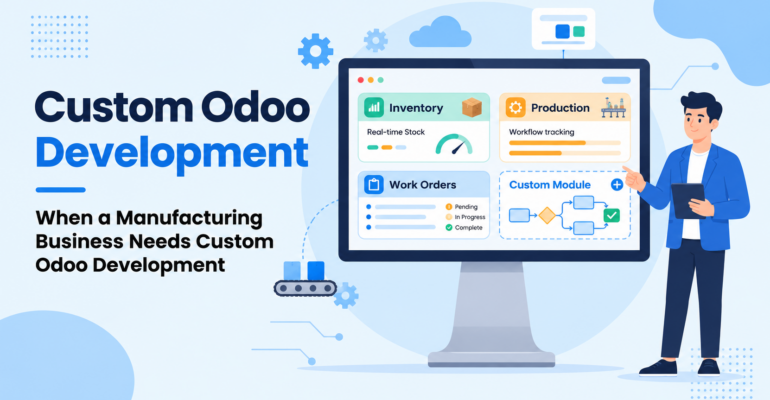
When a Manufacturing Business Needs Custom Odoo Development
 Bhargav A
Every manufacturing business has its own production workflows, inventory requirements, quality standards, and reporting needs. Manufacturing Custom Odoo Development helps businesses address these specific requirements when standard ERP features cannot fully support their operations.
Odoo provides manufacturing businesses with tools to manage production, inventory, purchasing, and other operations in one platform. However, when standard features and configurations cannot fully support a business workflow, custom Odoo development can help bridge the gap between software capabilities and operational requirements.
But how do you know when your manufacturing business actually needs custom Odoo development?
What Is Custom Odoo Development?
Custom Odoo development involves extending or modifying Odoo functionality to meet specific business requirements. It may include developing custom modules, creating specialized reports, automating workflows, or integrating Odoo with external systems.
For manufacturing businesses, customization can help address requirements that are not fully covered by the standard setup.
For example, a manufacturer may need a specialized production approval process, a custom machine monitoring dashboard, or an integration between Odoo and existing factory equipment.
The objective is not to customize everything. It is to make Odoo support the business process where standard functionality is insufficient.
5 Signs Your Manufacturing Business May Need Custom Odoo Development
1. Your Production Workflow Does Not Fit Standard Processes
Manufacturing businesses often follow specific production sequences, approval stages, and operational procedures. Standard Odoo manufacturing features can support many common workflows, but some businesses have requirements that need additional logic.
For example, a manufacturer may require multiple approval levels before a production order can proceed, or a specialized workflow for products that need additional assembly stages.
Custom development can introduce business-specific rules, additional workflow steps, or tailored functionality where necessary.
Business benefit: A better fit between your ERP system and your actual production operations.
2. You Rely on Manual Work and Repetitive Tasks
If employees regularly transfer information between spreadsheets, manually update records, or follow up on tasks through emails, your existing workflow may have opportunities for automation.
Odoo already supports several configuration and automation options. When these are not sufficient for a particular requirement, custom development can help automate more specialized processes.
For example, a business may need a custom notification workflow when production materials are delayed or when an order requires an additional approval.
Business benefit: Less repetitive work, more consistent processes, and improved coordination between teams.
3. You Need Specialized Manufacturing Reports
Standard reports provide useful operational information, but manufacturing managers may need additional insights based on their specific business goals.
A company might want a consolidated dashboard showing production output, material wastage, rejected quantities, machine downtime, and order completion status.
Custom reports and dashboards can present relevant information in a format that supports management decisions.
Business benefit: Better operational visibility and more informed production planning.
4. Your Existing Machines or Applications Need to Connect with Odoo
Some manufacturing businesses use barcode scanners, weighing scales, production machines, external quality systems, or other specialized applications.
If these systems do not communicate directly with Odoo, employees may need to enter the same information into multiple platforms.
Depending on the equipment and available interfaces, custom integrations can help exchange data between Odoo and compatible external systems.
For example, an integration could transfer supported measurement data from an external system into Odoo, reducing the need for manual entry.
Business benefit: Better data consistency, less duplication, and a more connected operational environment.
5. Your Business Requirements Are Becoming More Complex
As a manufacturing company grows, its operational requirements may change. It may introduce new product lines, additional warehouses, more approval levels, or specialized customer requirements.
The existing Odoo setup may need to evolve alongside these changes.
Custom development can extend functionality where necessary, helping the system support new workflows without forcing every business process into an unsuitable structure.
Business benefit: An ERP system that can adapt to changing business needs.
Customization vs. Standard Odoo Configuration: What Should You Choose?
Not every business requirement needs custom code. Before investing in development, it is important to identify the most suitable approach.
| Business requirement | Recommended starting point |
|---|---|
| Setting up Bills of Materials and manufacturing orders | Standard Odoo configuration |
| Managing routine inventory and purchasing workflows | Standard Odoo configuration |
| Adding supported fields or simple automations | Evaluate Odoo Studio or available configuration options |
| Creating complex business-specific approval logic | Evaluate custom development |
| Building specialized dashboards or reports | Standard reporting first, customization if required |
| Integrating equipment or external applications | Evaluate available connectors, APIs, and custom integration |
The right solution depends on your Odoo version, edition, existing modules, and business requirements. A proper assessment can help avoid unnecessary development costs and reduce long-term maintenance complexity.
How to Approach Custom Odoo Development for Manufacturing
A structured development process helps ensure that the solution addresses the real business problem.
Step 1: Analyze your requirements
Identify the current operational challenge, the teams involved, and the expected outcome.
Step 2: Review standard Odoo functionality
Check whether existing modules, settings, or supported automation features can meet the requirement before developing custom functionality.
Step 3: Define the solution
Determine whether the business needs a custom module, workflow enhancement, report, or integration.
Step 4: Develop and test
Build the required functionality and test it against realistic manufacturing scenarios, including relevant user permissions and existing workflows.
Step 5: Deploy and maintain
Deploy the solution with appropriate documentation and user guidance. Plan for ongoing support and compatibility testing when Odoo is upgraded.
This approach helps businesses focus on practical improvements rather than adding features that do not deliver clear value.
How Banas Tech Can Help with Custom Odoo Development
Manufacturing businesses need ERP solutions that support their operational requirements without adding unnecessary complexity.
Banas Tech provides Odoo development, customization, implementation, and integration services to help businesses adapt Odoo to their workflows. From custom modules and specialized reports to workflow improvements and third-party integrations, the development approach can be tailored to the requirements identified during the initial assessment.
Our goal is to help businesses make better use of Odoo while considering usability, scalability, and long-term maintenance.
Explore our Odoo Development Services to learn more about our customization and development capabilities.
Need Odoo functionality tailored to your manufacturing process? Contact Us to discuss your requirements and explore the right solution for your business.