
Odoo Helpdesk: Features, Benefits, and Implementation Guide
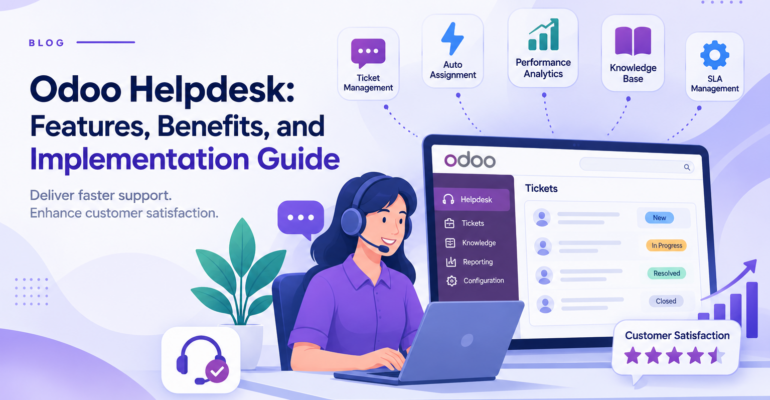
Odoo Helpdesk: Features, Benefits, and Implementation Guide
 Bhargav A
Odoo Helpdesk is a customer support application that helps businesses receive, organize, assign, and resolve customer requests as tickets from a single system. Instead of handling support through scattered emails, chats, and spreadsheets, teams get one shared place to track every issue from the first message to final resolution.
When customer requests arrive through different channels and nobody has a clear view of who is handling what, tickets get missed, response times grow, and customers lose trust. Odoo Helpdesk addresses this with ticket stages, assignment rules, service level agreements (SLAs), and customer feedback, all connected with the rest of your Odoo system.
In this guide, we explain what Odoo Helpdesk is, its key features, how it integrates with other Odoo applications, how to implement it, and who it is best suited for.
What Is Odoo Helpdesk?
Odoo Helpdesk is an application within the Odoo ERP that lets support teams manage customer requests as tickets. Each ticket records the customer, the issue, its priority, the assigned team member, and the full communication history.
Customers can raise requests through channels such as email, a website form, or live chat, depending on your configuration. Support agents then work on tickets through a pipeline of stages, for example New, In Progress, Solved, and Cancelled.
Because Helpdesk is part of Odoo, ticket data can connect with customers, sales orders, invoices, timesheets, and products. Support agents can see the relevant context without switching between tools.
Key capabilities include:
- Multiple helpdesk teams with their own workflows
- Ticket creation from email, website form, and live chat
- Configurable ticket stages and priorities
- Automatic or manual ticket assignment
- SLA policies with deadline tracking
- Customer ratings after ticket resolution
- Customer portal for ticket tracking
- Reporting on ticket volume, resolution, and team performance
- Integration with Sales, Accounting, Timesheets, Inventory, and other apps
Why Do Businesses Need a Helpdesk System?
Support quality directly affects customer retention. Handling requests through shared inboxes or spreadsheets creates predictable problems.
1. Missed or Duplicate Requests
When several people read the same inbox, requests can be ignored because everyone assumes someone else is handling them, or answered twice by different people. A ticket system gives each request one owner and one status.
2. No Visibility into Ticket Status
Managers cannot see how many issues are open, which are overdue, or who is overloaded. Customers also have to ask for updates. A ticket pipeline makes the status of every request visible.
3. Slow Response Times
Without priorities and deadlines, urgent issues wait in the same queue as simple questions. SLA policies help teams focus on tickets that need attention first.
4. Lost Customer History
When past conversations live in individual mailboxes, agents do not know what was already discussed. Tickets keep the whole conversation in one record.
5. Support Disconnected from the Business
Support agents often need order details, invoices, or product information to resolve an issue. If support runs in a separate tool, agents lose time searching for this data in other systems.
Key Features of Odoo Helpdesk
1. Centralized Ticket Management
Odoo Helpdesk helps businesses manage customer support requests through a centralized ticketing system.
Support teams can create, organize, assign, and track tickets through customizable stages. Each ticket stores important details such as customer information, issue description, priority, assigned team, and communication history.
The Kanban and list views make it easier to monitor ticket progress and manage daily support activities.
Key benefits:
- Organized customer support requests
- Clear ticket ownership and status tracking
- Better visibility into pending and resolved issues
2. Multi-Channel Customer Support
Odoo Helpdesk allows businesses to receive support requests through multiple channels, including email, website forms, and live chat.
- Email: Incoming emails sent to a configured Helpdesk team alias can automatically create tickets.
- Website Forms: Customers can submit support requests through website forms.
- Live Chat: Website visitors can communicate with support agents, and conversations can be converted into Helpdesk tickets.
These channels help businesses bring customer queries into one organized support workflow.
3. Multiple Teams and Ticket Assignment
Businesses can create separate Helpdesk teams to manage different types of customer requests.
For example, a company may have dedicated teams for technical support, product complaints, installation assistance, and warranty-related queries.
Each team can have its own ticket pipeline and workflow. Odoo also supports automatic ticket assignment based on configured team rules, helping distribute support requests among team members.
Key benefits:
- Better organization across support departments
- Clear responsibilities for support agents
- More balanced ticket distribution
4. Service Level Agreement (SLA) Management
Odoo Helpdesk supports SLA policies that help businesses define service targets for customer support tickets.
An SLA policy can specify the target stage a ticket should reach within a defined working time. Policies can be configured using criteria such as Helpdesk team, priority, tags, and customer.
Odoo calculates SLA deadlines based on the configured working hours and tracks whether the target is achieved or missed.
This helps support managers monitor service commitments and identify tickets that need attention.
5. Automated Customer Notifications
Odoo Helpdesk can automate customer communication through email and SMS templates configured on ticket stages.
For example, businesses can configure notifications to inform customers when a ticket reaches a particular stage.
Helpdesk teams can also use automatic ticket assignment and other configured workflows to reduce repetitive manual tasks.
This helps maintain consistent communication and keeps customers informed about the progress of their support requests.
6. Help Center and Self-Service Support
Odoo Helpdesk can integrate with Odoo Knowledge, Forum, and eLearning applications to provide a customer Help Center.
Businesses can publish useful resources such as FAQs, product guides, troubleshooting articles, community discussions, and training courses.
Customers can use these resources to find answers independently, while support agents can refer to relevant Knowledge articles when handling tickets.
These options can help reduce repetitive queries and improve access to customer support information.
7. Customer Feedback and Support Reporting
Odoo Helpdesk provides tools to review customer satisfaction and analyze support performance.
Businesses can enable customer ratings and request feedback after tickets are resolved. Support managers can also use reporting views to analyze ticket volumes, team workloads, SLA performance, and customer ratings.
These insights help businesses understand support activity and identify opportunities to improve service quality.
8. Time Tracking and Support Billing
For businesses that provide paid technical support or maintenance services, Odoo Helpdesk can work with Odoo Timesheets and Sales applications to track and bill support time.
Support agents can record the time spent working on tickets. Depending on the service configuration and linked sales order, businesses can manage billable support hours and customer invoicing.
This is particularly useful for IT service providers, technical consultants, and companies offering paid maintenance or after-sales services.
How Odoo Helpdesk Integrates with Other Odoo Modules
The main advantage of Odoo Helpdesk over a standalone support tool is that support data connects with the rest of the business.
Odoo Helpdesk + Sales and CRM
Support agents can see customer information and sales history while handling a ticket. For a more complete customer view, you can connect support with Odoo CRM, so sales and support teams work from the same customer records. If you use external tools, see our Odoo CRM integration service.
Odoo Helpdesk + Timesheets and Invoicing
With the Timesheets integration, agents can record time spent on a ticket. Businesses that offer paid support can use this time to invoice customers, depending on the configuration and the products used.
Odoo Helpdesk + Inventory
For businesses selling physical products, Helpdesk can support after-sales processes such as returns and replacements, depending on the installed apps and configuration. Read our guide on Odoo Inventory Management to see how stock operations work.
Odoo Helpdesk + Accounting
Support-related actions, such as refunds or credit notes, connect with accounting records, which helps finance teams keep customer balances consistent.
Odoo Helpdesk + Live Chat and Website
Live chat and website forms provide direct entry points for customers, and requests from these channels can flow into your ticket pipeline.
Practical Example: Odoo Helpdesk for a Manufacturing Company
Consider a manufacturing company that sells industrial equipment to customers.
After purchasing a machine, a customer experiences a technical problem and contacts the company through its website.
Without a structured support system, the request may pass between different employees through emails and phone calls. This can delay issue resolution and make it difficult to maintain a complete service history.
With a properly configured Odoo Helpdesk workflow:
- The customer submits a support request through the website form.
- Odoo creates a helpdesk ticket for the appropriate support team.
- The ticket is assigned to a responsible support agent.
- The support agent reviews the issue and communicates with the customer.
- The team follows the applicable priority and SLA policy.
- If the problem requires an onsite visit, a Field Service task can be created.
- If the product requires repair, the relevant Repair workflow can be initiated.
- Once the issue is resolved, the ticket is closed and customer feedback can be collected.
This connected workflow helps the business manage after-sales support more systematically and maintain better visibility into customer issues.
Benefits of Implementing Odoo Helpdesk
When configured according to business requirements, Odoo Helpdesk can provide several operational benefits.
Improved Customer Support Management
A centralized ticket system helps businesses organize customer requests and maintain visibility into support activities.
Faster Issue Handling: Ticket prioritization, assignment, automation, and SLA monitoring help teams focus on important issues and manage their workload.
Better Team Coordination: Multiple helpdesk teams and structured ticket stages make responsibilities clearer and improve coordination between departments.
Reduced Repetitive Work: Automated notifications, reusable responses, and customer self-service resources can reduce repetitive administrative tasks.
Improved Customer Experience: Organized communication, ticket tracking, and feedback collection help businesses maintain more consistent support processes.
Better Performance Monitoring: Reporting tools provide insights into ticket volume, team workload, SLA performance, and customer ratings.
Connected After-Sales Operations: Integration with Field Service, Repair, Sales, and other Odoo applications can help businesses manage customer issues beyond the initial support request.
How to Implement Odoo Helpdesk
A successful Odoo Helpdesk implementation starts with understanding your support process and configuring the system according to your business requirements.
Step 1: Analyze Your Support Process
Identify your support channels, common customer issues, responsible teams, and expected response times. This helps you plan a workflow that matches your business needs.
Step 2: Create Helpdesk Teams and Channels
Set up Helpdesk teams and assign support agents. Configure the required channels, such as email aliases, website forms, and Live Chat, to receive customer requests.
Step 3: Configure Ticket Stages and Priorities
Define ticket stages, priorities, tags, and types according to your support workflow. Keep the pipeline simple so agents can manage tickets easily.
Step 4: Set Up Assignment and SLA Policies
Configure manual or automatic ticket assignment and define SLA targets based on ticket priority, team, or customer requirements. Set realistic deadlines according to your working hours.
Step 5: Configure Customer Access and Feedback
Enable customer ratings and configure portal access where required. This allows customers to follow their tickets and share feedback about the support experience.
Step 6: Integrate Related Applications
Connect applications such as CRM, Sales, Timesheets, or Inventory wherever needed. These integrations can support customer management, paid services, time tracking, and product-related support workflows.
Step 7: Test and Migrate Existing Data
Import relevant customer records and open tickets if required. Test ticket creation, assignment, notifications, SLA policies, and integrations before launching the system.
Step 8: Train Your Team and Go Live
Train support agents and managers on ticket handling, customer communication, and reporting. After launch, monitor the workflow and make adjustments based on team feedback.
A well-planned implementation helps businesses organize support operations, improve ticket visibility, and deliver a more consistent customer experience.
Why Choose BanasTech for Odoo Implementation?
Selecting the right implementation approach is important when introducing a new customer support system.
BanasTech provides Odoo-related implementation services to help businesses explore and configure ERP solutions based on their operational requirements.
For an Odoo Helpdesk project, businesses should first identify their existing customer support challenges, ticket management requirements, communication channels, and integration needs.
A structured implementation project can include:
- Reviewing existing customer support workflows
- Configuring the required Odoo applications
- Setting up helpdesk teams and ticket stages
- Configuring customer communication channels
- Planning automation and SLA workflows
- Integrating relevant Odoo modules
- Testing ticket management processes
- Supporting user training and system rollout
If your business wants to organize customer support operations or connect after-sales services with other business activities, discuss your requirements with the BanasTech team. Explore the Odoo Services offered by BanasTech
Is Odoo Helpdesk Suitable for Your Business?
Odoo Helpdesk can be useful for businesses that regularly receive customer queries, technical issues, complaints, and after-sales service requests.
It can be particularly relevant for:
- Manufacturing companies: Managing product complaints, warranty requests, and technical support.
- IT companies: Organizing software issues, technical queries, and customer support tickets.
- Equipment suppliers: Coordinating installation assistance, maintenance requests, and repairs.
- Service providers: Managing customer requests and service-level commitments.
- E-commerce businesses: Organizing product inquiries, returns, and customer complaints.
- Maintenance companies: Connecting customer issues with technician visits and service activities.
Before selecting the application, evaluate your support volume, number of agents, communication channels, service commitments, and required integrations.
Conclusion
Odoo Helpdesk helps businesses organize customer support through centralized ticket management, multiple communication channels, ticket prioritization, SLA policies, automation, and performance reporting.
By integrating Helpdesk with applications such as CRM, Sales, Live Chat, Knowledge, Field Service, and Repair, businesses can build more connected customer service and after-sales workflows.
Successful implementation requires clearly defined support processes, appropriate team configurations, tested automation rules, and proper employee training.
If your business wants to improve customer support management and streamline service operations, Odoo Helpdesk can be an effective solution to explore.
Ready to improve your customer support operations?
Contact BanasTech or explore our Odoo Implementation Services to discuss your requirements and take the next step toward a more connected support process.