
Odoo Accounting Software: Features, Benefits & Implementation Guide
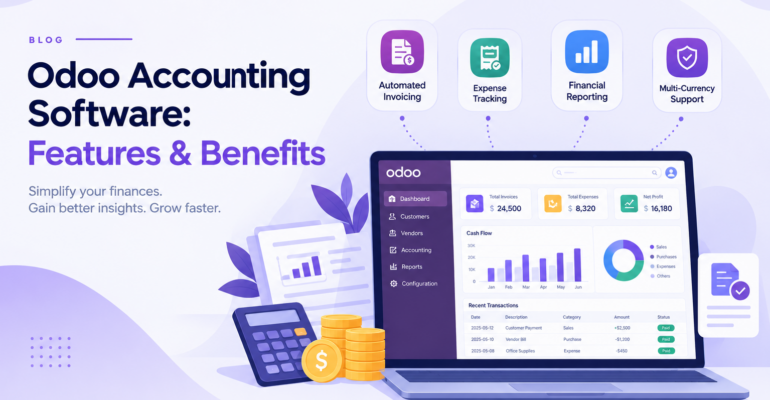
Odoo Accounting Software: Features, Benefits & Implementation Guide
 Bhargav A
Managing business finances becomes challenging when invoices, vendor bills, payments, taxes, and financial reports are handled through separate systems. Odoo Accounting Software helps businesses bring these activities together in one integrated platform, making financial management more organized, efficient, and transparent.
For growing businesses, accounting automation can reduce repetitive manual work, improve financial visibility, and support better decision-making. When connected with other Odoo applications, it can also link accounting activities with sales, purchasing, inventory, and manufacturing operations.
In this guide, we explore the key features, benefits, and implementation considerations of Odoo Accounting Software, along with how businesses can get started with the right implementation approach.
What Is Odoo Accounting Software?
Odoo Accounting is an accounting application within the Odoo ERP ecosystem. It helps businesses manage financial transactions, customer invoices, vendor bills, payments, bank reconciliation, and financial reporting.
Unlike a standalone invoicing tool, Odoo Accounting offers broader financial management capabilities, including accounting entries, financial statements, asset management, and analytical reporting.
Because it is part of the same ERP, accounting can be connected with sales, purchasing, inventory, and other applications to create a more unified operational workflow.
Key capabilities include:
- Integration with other Odoo business applications
- Customer invoicing and payment tracking
- Vendor bill and supplier payment management
- Bank statement import and reconciliation
- Automated accounting entries for configured transactions
- Financial reports and tax reporting
- Accounts receivable and payable tracking
- Multi-currency and multi-company accounting
Why Do Businesses Need Accounting Automation?
As a business grows, managing finances manually can lead to delays, duplicate data entry, and limited visibility into financial performance.
Common accounting challenges include:
- Manual data entry: Entering the same information across multiple systems takes time and increases the risk of errors.
- Delayed financial reporting: Preparing reports manually can make it difficult to understand the current financial position.
- Payment tracking difficulties: Following up on overdue customer invoices and outstanding vendor bills can become complicated.
- Bank reconciliation challenges: Matching transactions with accounting records can consume valuable time.
- Disconnected business operations: When sales, purchasing, and inventory are not connected to accounting, teams may work with inconsistent information.
Odoo Accounting helps address these challenges by centralizing financial information and automating supported accounting workflows.
Key Features of Odoo Accounting Software
1. Customer Invoicing and Billing
Odoo Accounting helps businesses create, manage, and send customer invoices. Invoices can be created from sales orders, delivered products, services, subscriptions, or other business transactions.
Important capabilities include:
- Customer invoice creation
- Configurable invoice layouts
- Invoice status tracking
- Credit notes and refunds
- TDS Entry
- Payment terms
- Outstanding invoice monitoring
2. Vendor Bills and Supplier Payments
Businesses must track supplier bills and ensure payments are processed according to agreed terms. Odoo Accounting allows users to record vendor bills, organize supplier balances, and track payment status.
The purchasing workflow can also help prepare vendor bills from purchase orders or incoming shipments. This helps finance teams:
- Review outstanding supplier bills
- Monitor payment due dates
- Track supplier balances
- Record supplier payments
- Maintain organized financial records
A structured accounts payable process improves visibility into upcoming financial obligations.
3. Bank Reconciliation
Bank reconciliation involves comparing transactions recorded in the accounting system with those appearing in bank statements.
Odoo supports bank statement imports and, where a compatible bank is supported, direct bank synchronization. Its reconciliation tools suggest matches between bank transactions, invoices, and recorded payments.
This helps accounting teams identify unmatched transactions, investigate discrepancies, and maintain consistent financial records. Where direct synchronization is unavailable for your bank, supported statement formats can be imported instead.
4. Automated Accounting Entries
Odoo uses double-entry bookkeeping to record financial transactions. When relevant transactions are validated, the system creates corresponding accounting entries according to the configured accounts, journals, taxes, and business rules.
For example, validating a customer invoice creates the relevant receivable and income entries. Supplier bills, payments, and supported inventory valuation operations can generate related entries in the same way.
This reduces the need to create every routine entry manually, while authorized users can still review and correct transactions when required.
5. Financial Reports and Business Insights
Financial reporting helps business owners understand their company’s financial position and performance. Odoo provides reports that include:
- Profit and loss statement
- Balance sheet
- Cash flow statement
- General ledger
- Trial balance
- Aged receivables and aged payables
- Partner ledger
- Tax reports
- Budget and analytical reports
These reports help businesses examine revenue, expenses, outstanding customer payments, and supplier liabilities. Managers can use them to support budgeting, financial reviews, and business planning.
6. Tax Configuration and GST for Indian Businesses
Businesses need accounting processes that reflect the tax rules applicable to their operations. Odoo supports country-specific fiscal localization, tax configuration, and financial reporting features.
For Indian businesses, the localization covers GST taxes, invoice formats, and GST-related reporting. Depending on your Odoo version, additional workflows such as e-invoicing and e-way bills may also be available. Confirm the exact support for your version before go-live.
The right configuration depends on your registration type, transaction types, and business activities. Always review the setup with a qualified accounting or tax professional so that your records meet compliance requirements.
7. Multi-Currency Accounting
Businesses working with international customers or suppliers may need to record transactions in currencies other than their company currency.
Odoo supports multi-currency accounting and exchange-rate management. The system records transactions in the relevant currency and accounts for exchange differences during reconciliation, helping maintain organized records for international purchases, sales, and payments.
8. Asset Management and Expense Recognition
Businesses that own equipment, machinery, vehicles, or other fixed assets need to track their value and depreciation over time.
Odoo Accounting includes asset management capabilities that support depreciation schedules and related accounting entries. It also provides deferred expense and revenue recognition features, which help finance teams organize recurring adjustments and maintain accurate records for each reporting period.t-management features are available in their chosen edition before implementation.
How Odoo Accounting Integrates with Other Odoo Modules
One of the main advantages of Odoo is that its applications can work together through a shared system.
Odoo Sales
When Odoo Sales is integrated with Accounting, businesses can connect sales orders with customer invoicing and payment tracking. This reduces duplicate data entry and helps teams follow the financial progress of sales transactions.
Odoo Purchase
Odoo Purchase can support supplier-related workflows by connecting purchase orders and vendor billing processes. This helps businesses maintain better visibility into purchasing commitments and supplier payments.
Odoo Inventory
When Inventory is integrated with Accounting, stock movements and inventory valuation can contribute to financial records, depending on the valuation method and configuration.
This is particularly useful for businesses that need visibility into stock value and the financial impact of inventory movements.
Odoo Manufacturing
Manufacturing businesses can connect production operations with inventory and accounting workflows. Depending on the setup, this can help improve visibility into material consumption, production costs, and inventory valuation.
Odoo CRM
When Odoo CRM is integrated with Odoo Sales and Accounting, businesses can connect lead management with quotations, customer invoicing, and payment tracking.
This creates a more connected workflow from initial customer interest to the financial stages of a sale, while each application continues to handle its specific responsibilities.
Practical Example: Odoo Accounting for a Growing Business
Consider a distribution company that purchases products from suppliers and sells them to business customers.
The company previously used spreadsheets to track invoices, a separate tool for accounting, and manual bank statement reconciliation. This made it difficult to identify overdue customer payments and review supplier obligations.
With a properly configured Odoo workflow:
- The sales team confirms a customer order.
- The invoice is created through the configured invoicing process.
- The accounting team monitors the outstanding customer balance.
- The purchasing team records supplier orders and related bills.
- Supplier payments are recorded according to payment terms.
- Imported or synchronized bank transactions are reconciled against accounting records.
- Managers review financial reports to understand receivables, payables, and business performance.
This integrated approach improves financial visibility and helps teams manage transactions more consistently. The exact workflow depends on the applications installed and the company’s accounting policies.
Benefits of Implementing Odoo Accounting Software
When configured according to business requirements, Odoo Accounting can offer several benefits.
Reduced repetitive work: Connected workflows and accounting automation reduce manual entry for supported transactions.
Better invoice management: Teams can organize customer invoices, monitor payment status, and identify overdue balances.
Improved financial visibility: Financial statements and accounting reports help managers review the company’s financial position.
More organized supplier payments: Accounts payable information helps businesses track bills and payment obligations.
Streamlined reconciliation: Reconciliation tools simplify comparing bank transactions with accounting records.
Connected business operations: Integration with Sales, Purchase, Inventory, and Manufacturing aligns financial records with operational activities.
Scalable financial processes: Businesses can add workflows and reporting capabilities as their requirements evolve.
Actual results depend on data quality, implementation decisions, employee training, and the suitability of the configured workflows.
How to Implement Odoo Accounting Software Successfully
Successful implementation requires more than installing an application. The system should be configured according to the company’s accounting practices, business processes, and reporting requirements.
Step 1: Review Your Accounting Requirements
Identify your invoicing process, vendor billing workflow, tax requirements, financial reports, payment methods, and any multi-company or multi-currency needs.
Step 2: Choose the Appropriate Odoo Version and Edition
Review the features available in your preferred Odoo version and edition. Confirm that the required accounting, reporting, localization, and integration capabilities are supported.
Step 3: Configure the Accounting System
Set up the chart of accounts, taxes, journals, payment methods, fiscal settings, and other required accounting configurations.
For businesses in India, this should include validating the relevant GST and statutory reporting requirements.
Step 4: Prepare and Migrate Data
Clean and prepare existing financial data before migration. Depending on the project scope, this may include customer and supplier records, opening balances, outstanding invoices, and other essential accounting information.
Validate migrated data before using the system for live transactions.
Step 5: Integrate Relevant Odoo Applications
Connect Accounting with the Odoo applications your business uses, such as Sales, Purchase, Inventory, Manufacturing, or CRM.
Integration requirements should be documented and tested to ensure that the intended workflows operate correctly.
Step 6: Test and Train Your Team
Test important scenarios such as invoice creation, payment recording, bank reconciliation, tax calculations, and financial reporting.
Provide appropriate training so users understand the workflows and responsibilities relevant to their roles.
Step 7: Go Live and Review Performance
After validation, move to the live system with a clear rollout plan. Review financial reports, user feedback, and any workflow issues after launch to identify areas for improvement.
Why Choose BanasTech for Odoo Implementation?
Choosing the right implementation approach can make a significant difference in how effectively an ERP system supports your business.
BanasTech helps businesses explore Odoo ERP solutions based on their operational requirements. A structured implementation project should focus on understanding business processes, configuring relevant applications, validating data, and helping users adopt the system.
Before starting an Odoo Accounting project, businesses should clearly define their requirements, confirm the features available in their chosen edition, and establish the scope of any required customization or integration.
Learn more about Odoo Services at our website.
If your business is planning to streamline accounting operations or connect finance with other departments, discuss your requirements with the BanasTech team to evaluate a suitable Odoo solution.
Is Odoo Accounting Right for Your Business?
Odoo Accounting may be suitable for businesses that want to organize invoicing, manage supplier bills, improve financial reporting, and connect accounting with their wider business operations.
It is particularly relevant for:
- Small and medium-sized businesses managing growing transaction volumes
- Manufacturing companies connecting production and financial operations
- Wholesalers and distributors managing customer and supplier accounts
- Service companies handling invoices and payment follow-ups
- Businesses operating across multiple currencies or companies
- Organizations looking to consolidate disconnected business applications
Before choosing a solution, evaluate your accounting policies, reporting needs, applicable tax rules, integration requirements, and implementation budget.
Conclusion
Odoo Accounting Software helps businesses organize financial transactions, manage invoices and bills, reconcile bank records, and access useful financial reports. When integrated with other Odoo applications, it can also connect accounting with sales, purchasing, inventory, and manufacturing operations.
The best results come from selecting the right edition, configuring accounting processes carefully, validating tax and reporting requirements, and training users before going live.
If you want to improve financial management and explore how Odoo can support your business processes, Contact BanasTech or explore our Odoo Implementation Services to discuss your requirements and take the next step toward a more connected business management system.